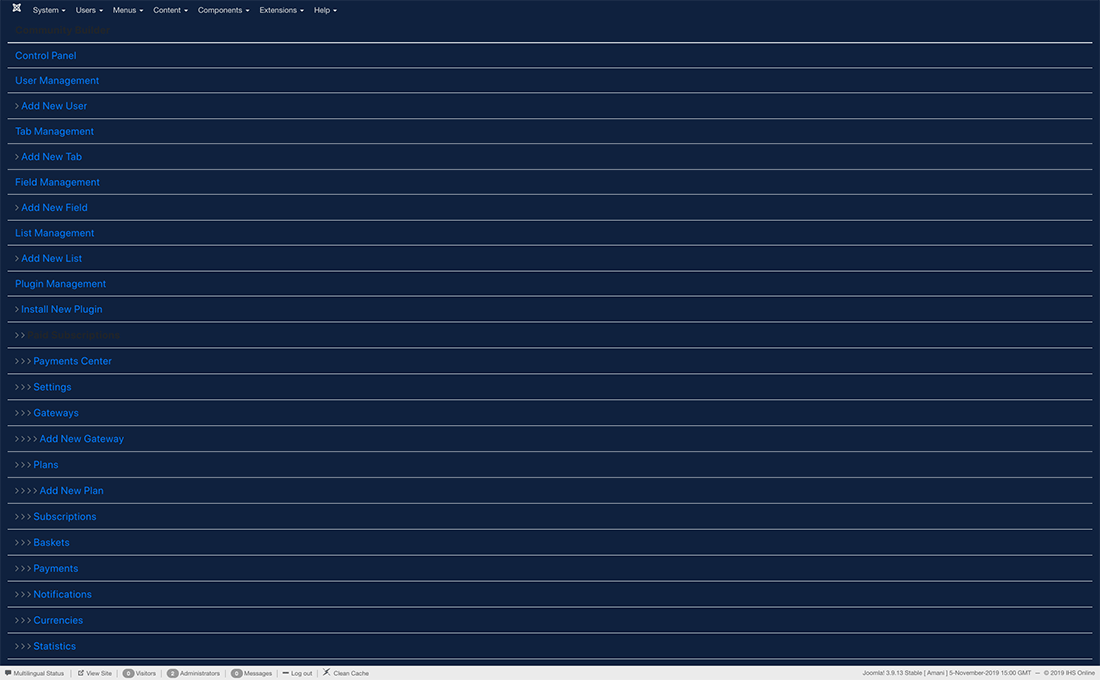
I just updated to the latest nightly build and noticed that the separate CBSubs admin menu is now incorporated into the main CB admin menu. In searching for a way to restore the separate menu item, I came across the "display mode" dropdown in mod_cbadmin. Out of curiosity I set it to table mode and immediately on saving was greeted with the attached screen, with no way out of it.
I was able to get back by disabling the module in the database, changing it back to dropdown and re-enabling it, but I'm now curious about the purposes of those different display modes for mod_cbadmin, and also if it is possible to get back the separate menu item for CBSubs.

Compact mode is now default enabled as there's not enough room for plugin menus at the top unless you disable a bunch of plugins menus. You can turn compact mode off within the admin module.
Kyle (Krileon) Community Builder Team Member Before posting on forums:
Read FAQ thoroughly
+
Read our Documentation
+
Search the forums CB links:
Documentation
-
Localization
-
CB Quickstart
-
CB Paid Subscriptions
-
Add-Ons
-
Forge
-- If you are a Professional, Developer, or CB Paid Subscriptions subscriber and have a support issue please always post in your respective support forums for best results!
-- If I've missed your support post with a delay of 3 days or greater and are a Professional, Developer, or CBSubs subscriber please
send me a private message
with your thread and will reply when possible!
-- Please note I am available Monday - Friday from 8:00 AM CST to 4:00 PM CST. I am away on weekends (Saturday and Sunday) and if I've missed your post on or before a weekend after business hours please wait for the next following business day (Monday) and will get to your issue as soon as possible, thank you.
-- My role here is to provide guidance and assistance. I cannot provide custom code for each custom requirement. Please do not inquire me about custom development.