

Skip to Content Skip to Menu

🎉 Black Friday sale — Last days! Great savings on Professional and Developer Memberships! Get 25% off now with code BLACK-FRIDAY-2025!

I have a problem importing user from a csv file

  • pdeleeuw
  • pdeleeuw
  • OFFLINE
  • Posts: 50
  • Thanks: 5
  • Karma: 3
1 month 1 week ago #342235 by pdeleeuw
I first exported one user into an excel sheet in order to understand the field names.
Then I saved the excel sheet as csv and deleted the columns I didnt need (wrong?)
Then I filled the fields with my users information.

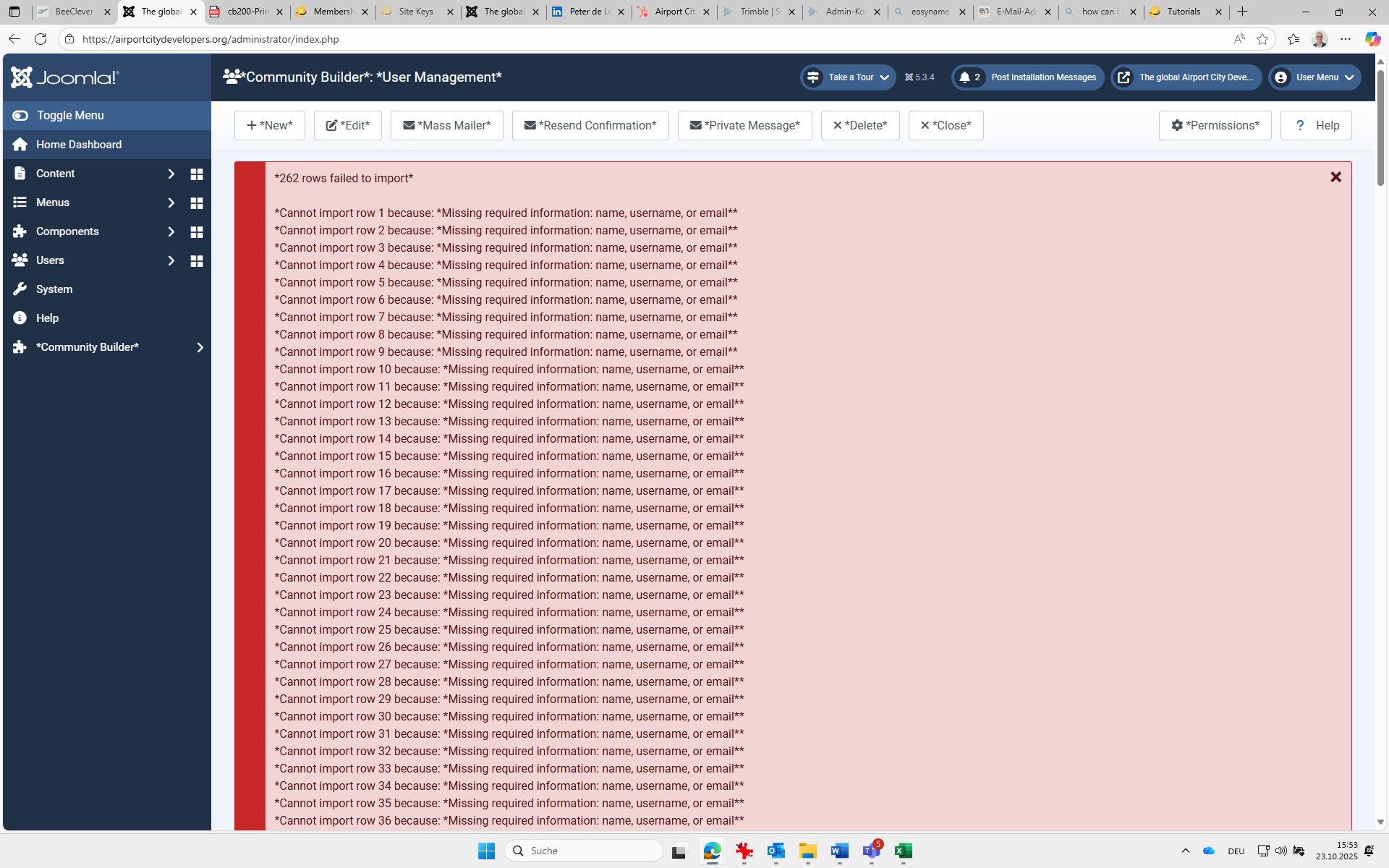
As I tried to import the cvs file I got only errors back - CB said
"*Cannot import row xxx because: *Missing required information: name, username, or email**"


But the required information in the required filds is certainly there.
Is there possibly a format I need to take into concern in regards to the three mentioned fields?

name: I use      "Firstname Familyname" (textfield)
Email:               full Emailadress   (textfield)
username:       "x_familyname"    (textfield)

Or does anyone recognise what I might have done wrong?

Kindly
Peter
 

Please Log in or Create an account to join the conversation.

  • krileon
  • krileon
  • ONLINE
  • Posts: 49802
  • Thanks: 8513
  • Karma: 1465
1 month 1 week ago #342236 by krileon
I believe I see a possible bug with only providing "name". Try providing "firstname" and "lastname" instead.


Kyle (Krileon)
Community Builder Team Member
Before posting on forums: Read FAQ thoroughly + Read our Documentation + Search the forums
CB links: Documentation - Localization - CB Quickstart - CB Paid Subscriptions - Add-Ons - Forge
--
If you are a Professional, Developer, or CB Paid Subscriptions subscriber and have a support issue please always post in your respective support forums for best results!
--
If I've missed your support post with a delay of 3 days or greater and are a Professional, Developer, or CBSubs subscriber please send me a private message with your thread and will reply when possible!
--
Please note I am available Monday - Friday from 8:00 AM CST to 4:00 PM CST. I am away on weekends (Saturday and Sunday) and if I've missed your post on or before a weekend after business hours please wait for the next following business day (Monday) and will get to your issue as soon as possible, thank you.
--
My role here is to provide guidance and assistance. I cannot provide custom code for each custom requirement. Please do not inquire me about custom development.

Please Log in or Create an account to join the conversation.
  • pdeleeuw
  • pdeleeuw
  • OFFLINE
  • Posts: 50
  • Thanks: 5
  • Karma: 3
1 month 3 days ago - 1 month 3 days ago #342257 by pdeleeuw
Thank you for the tip.

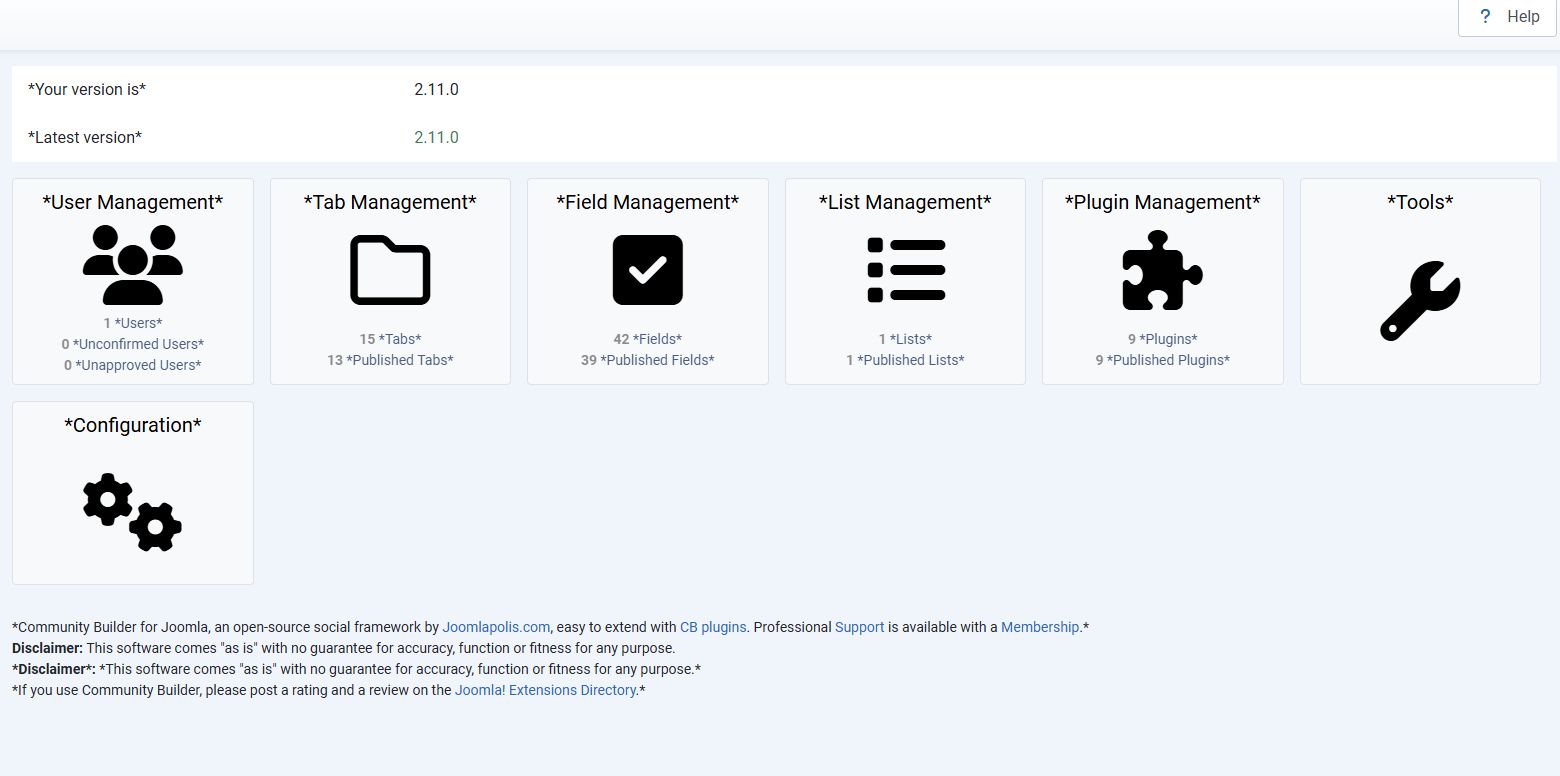
I already had the firstname and lastname fields, but I now tried to remove the "name" field.
The same error occurs.

I use the following fields:
name firstname middlename lastname username alias email cb_company cb_companyaddress cb_companypostcode cb_companycity cb_vatnr cb_nutritionrestrictions cb_cellphone cb_industry cb_Company-linkedin cb_phone cb_country

I have changed all fields in the Excelsheet to "text" before I converted it to a CSV-file. (in case that makes any difference)
I use the email address as username.
in the field "name" I use firstname &" "& lastname (no formulas in the table, only values.)

I have tried different CSV-options but no difference.

The import system still says "*Cannot import row 1 because: *Missing required information: name, username, or email**"  for all rows. ("*262 rows failed to import*")

Maybe anyhow my CB-Istallation has an issue?
there is always these "*" around all captions 


Maybe that is the reason why CB doesnt find the content in the fields?

Kindly
Peter
Attachments:
Last edit: 1 month 3 days ago by pdeleeuw.

Please Log in or Create an account to join the conversation.
  • krileon
  • krileon
  • ONLINE
  • Posts: 49802
  • Thanks: 8513
  • Karma: 1465
1 month 3 days ago #342259 by krileon

Maybe anyhow my CB-Istallation has an issue?
there is always these "*" around all captions

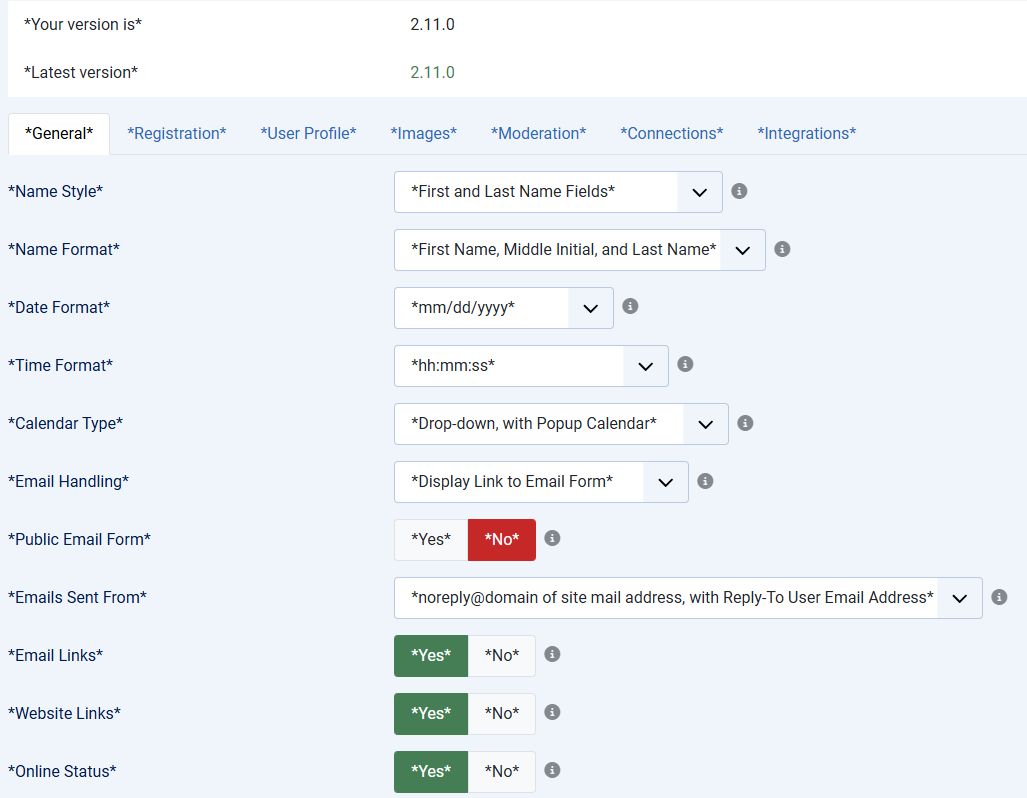
You have language debugging turned on in CB > Configuration > Integrations. Set "Translations Highlighting" back to "No" to get rid of that. It's possible that's interfering with the import, but I'm not sure how.

I have tried different CSV-options but no difference.

Your CSV options should be set to the following to ensure proper formatting on save. Typically you'll be asked for these settings on opening the CSV.

1. Character set: UTF-8
2. Separated by Comma
3. Format quoted fields as text
4. " as string delimiter


Kyle (Krileon)
Community Builder Team Member
Before posting on forums: Read FAQ thoroughly + Read our Documentation + Search the forums
CB links: Documentation - Localization - CB Quickstart - CB Paid Subscriptions - Add-Ons - Forge
--
If you are a Professional, Developer, or CB Paid Subscriptions subscriber and have a support issue please always post in your respective support forums for best results!
--
If I've missed your support post with a delay of 3 days or greater and are a Professional, Developer, or CBSubs subscriber please send me a private message with your thread and will reply when possible!
--
Please note I am available Monday - Friday from 8:00 AM CST to 4:00 PM CST. I am away on weekends (Saturday and Sunday) and if I've missed your post on or before a weekend after business hours please wait for the next following business day (Monday) and will get to your issue as soon as possible, thank you.
--
My role here is to provide guidance and assistance. I cannot provide custom code for each custom requirement. Please do not inquire me about custom development.

Please Log in or Create an account to join the conversation.
  • pdeleeuw
  • pdeleeuw
  • OFFLINE
  • Posts: 50
  • Thanks: 5
  • Karma: 3
1 month 3 days ago - 1 month 3 days ago #342260 by pdeleeuw
Hi again,

thanks, I turned off the language debugging.

Now, it seems, that wasnt the reason for the problem.

You wrote: " should be a string limiter; do you mean, all entries to a field need to be wrapped with ""?
or only those who have a space somewhere in between?

I have tried to set up a csv-file with all entries wrapped in a "".

it looks like this:

“id“,“name“,“firstname“,“middlename“,“lastname“,“username“,“alias“,“email“,“cb_company“,“cb_companyaddress“,“cb_companypostcode“,“cb_companycity“,“cb_vatnr“,“cb_nutritionrestrictions“,“cb_cellphone“,“cb_industry“,“cb_Company-linkedin“,“cb_phone“,“cb_country“
““,“Arturs Saveljevs“,“Arturs“,““,“Saveljevs“,“a.saveljevs@riga-airport.com“,““,“a.saveljevs@riga-airport.com“,“Riga Airport“,“P133, Mārupe, Mārupes novads“,“2700“,“Riga“,““,““,““,““,“https://www.linkedin.com/company/rigaairport“,“ +43 50 421 1117“,“Austria“

It still doesnt work. I get the same error all the time.

Kind regards
Peter
Last edit: 1 month 3 days ago by pdeleeuw.

Please Log in or Create an account to join the conversation.

  • krileon
  • krileon
  • ONLINE
  • Posts: 49802
  • Thanks: 8513
  • Karma: 1465
1 month 3 days ago - 1 month 3 days ago #342263 by krileon

You wrote: " should be a string limiter; do you mean, all entries to a field need to be wrapped with ""?

It means it uses double quote for strings. This is typically something you'd set in your CSV software.

How are you editing your CSV files? I suggest using either Excel or for a free option LibreOffice Calc (what I use). I don't recommend just editing them in a text editor as it's pretty easy to break the export format.


Kyle (Krileon)
Community Builder Team Member
Before posting on forums: Read FAQ thoroughly + Read our Documentation + Search the forums
CB links: Documentation - Localization - CB Quickstart - CB Paid Subscriptions - Add-Ons - Forge
--
If you are a Professional, Developer, or CB Paid Subscriptions subscriber and have a support issue please always post in your respective support forums for best results!
--
If I've missed your support post with a delay of 3 days or greater and are a Professional, Developer, or CBSubs subscriber please send me a private message with your thread and will reply when possible!
--
Please note I am available Monday - Friday from 8:00 AM CST to 4:00 PM CST. I am away on weekends (Saturday and Sunday) and if I've missed your post on or before a weekend after business hours please wait for the next following business day (Monday) and will get to your issue as soon as possible, thank you.
--
My role here is to provide guidance and assistance. I cannot provide custom code for each custom requirement. Please do not inquire me about custom development.
Last edit: 1 month 3 days ago by krileon.

Please Log in or Create an account to join the conversation.

Moderators: beatnantkrileon
Powered by Kunena Forum
