Skip to Content Skip to Menu

🌲 Merry Christmas! Great Savings on Professional and Developer Memberships! Get 25% off now with code XMAS-2025!

CBsubs invoices logo path incorrect

  • jhaines
  • jhaines
  • ONLINE
  • Posts: 99
  • Thanks: 12
  • Karma: 3
1 week 1 day ago #342680 by jhaines
CBsubs invoices logo path incorrect was created by jhaines
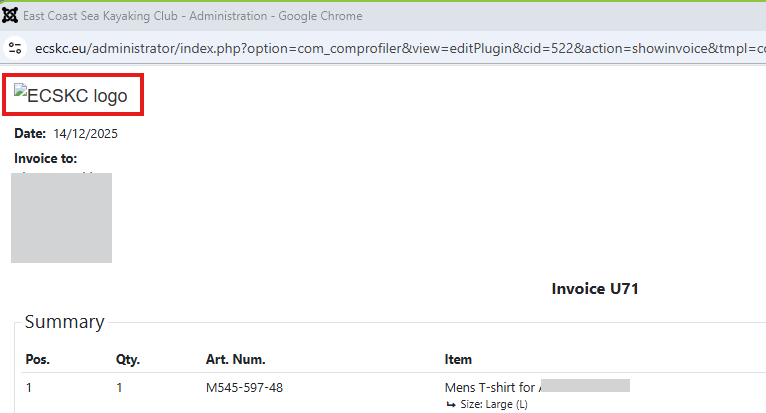
CBSubs invoices are showing a broken link for the club logo. Inspection of the broken path shows that the administrator directory has been prefixed with the URL to the relative path given to the image in the editor.

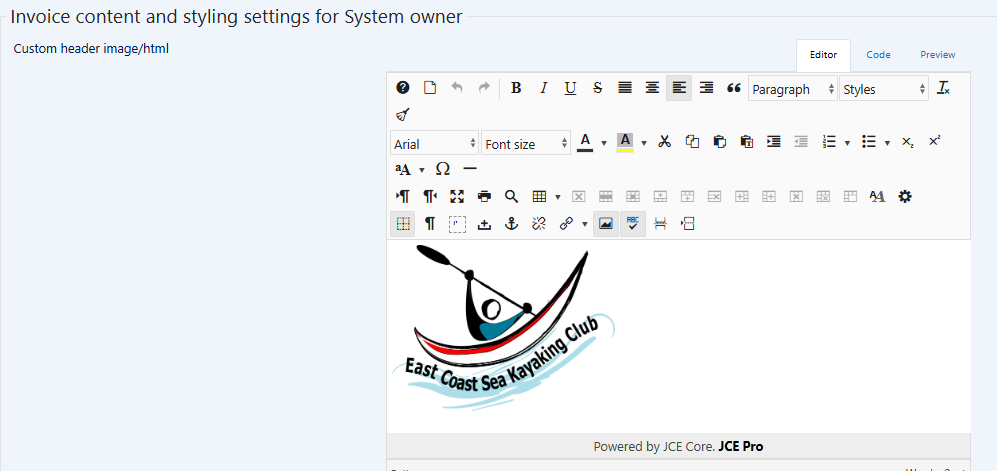
Here's the image in the editor:


Here's the code view also from the editor:
Code:
<p style="font-size: 1.4em; padding: 0px; font-family: Arial, Helvetica, sans-serif; font-weight: normal; vertical-align: bottom; color: #333333; text-align: left; width: 671px; font-style: normal; font-variant-ligatures: normal; font-variant-caps: normal; letter-spacing: normal; orphans: 2; text-indent: 0px; text-transform: none; widows: 2; word-spacing: 0px; -webkit-text-stroke-width: 0px; white-space: normal; text-decoration-thickness: initial; text-decoration-style: initial; text-decoration-color: initial;"><img src="images/logos/logo_white_1120x833.jpg" alt="ECSKC logo" width="280" /></p>

This is the path given by the broken link:
ecskc.eu/administrator/images/logos/logo_white_1120x833.jpg

Here's the top of the invoice:



Please Log in or Create an account to join the conversation.

  • krileon
  • krileon
  • ONLINE
  • Posts: 49924
  • Thanks: 8533
  • Karma: 1465
1 week 1 day ago - 1 week 1 day ago #342688 by krileon
Replied by krileon on topic CBsubs invoices logo path incorrect
You're using a relative URL and the image exists in frontend only. So when viewing in backend it'll be a broken URL. Should work fine from frontend though. If you want it to work in both locations you'll need to use an absolute path URL.


Kyle (Krileon)
Community Builder Team Member
Before posting on forums: Read FAQ thoroughly + Read our Documentation + Search the forums
CB links: Documentation - Localization - CB Quickstart - CB Paid Subscriptions - Add-Ons - Forge
--
If you are a Professional, Developer, or CB Paid Subscriptions subscriber and have a support issue please always post in your respective support forums for best results!
--
If I've missed your support post with a delay of 3 days or greater and are a Professional, Developer, or CBSubs subscriber please send me a private message with your thread and will reply when possible!
--
Please note I am available Monday - Friday from 8:00 AM CST to 4:00 PM CST. I am away on weekends (Saturday and Sunday) and if I've missed your post on or before a weekend after business hours please wait for the next following business day (Monday) and will get to your issue as soon as possible, thank you.
--
My role here is to provide guidance and assistance. I cannot provide custom code for each custom requirement. Please do not inquire me about custom development.
Last edit: 1 week 1 day ago by krileon.

Please Log in or Create an account to join the conversation.

  • jhaines
  • jhaines
  • ONLINE
  • Posts: 99
  • Thanks: 12
  • Karma: 3
1 week 23 hours ago #342699 by jhaines
Replied by jhaines on topic CBsubs invoices logo path incorrect
Thanks for the explanation. It's a bit odd because the editor is correctly displaying the logo in the backend, but the invoice view does not. Wouldn't we expect these two locations in the backend show the same thing, ie. both broken or preferably both showing the logo? Perhaps the invoice viewing code is using the wrong URL prefix?

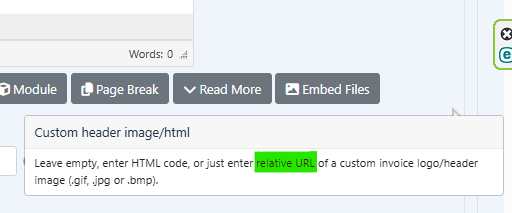
As a minor point, I note that the help for custom header image/html specifically says to use a relative URL and indeed that would be preferable.
 

Please Log in or Create an account to join the conversation.

  • krileon
  • krileon
  • ONLINE
  • Posts: 49924
  • Thanks: 8533
  • Karma: 1465
1 week 3 hours ago #342708 by krileon
Replied by krileon on topic CBsubs invoices logo path incorrect
That's just how relative URLs work. They're relative to their location. We're not prefixing the URL in any way. That's done by the browser. You didn't start your relative URL with a / so it's relative to whatever the current path is instead of relative to root domain. So you need to either change "images/..." to "/images/..." or use an absolute path.


Kyle (Krileon)
Community Builder Team Member
Before posting on forums: Read FAQ thoroughly + Read our Documentation + Search the forums
CB links: Documentation - Localization - CB Quickstart - CB Paid Subscriptions - Add-Ons - Forge
--
If you are a Professional, Developer, or CB Paid Subscriptions subscriber and have a support issue please always post in your respective support forums for best results!
--
If I've missed your support post with a delay of 3 days or greater and are a Professional, Developer, or CBSubs subscriber please send me a private message with your thread and will reply when possible!
--
Please note I am available Monday - Friday from 8:00 AM CST to 4:00 PM CST. I am away on weekends (Saturday and Sunday) and if I've missed your post on or before a weekend after business hours please wait for the next following business day (Monday) and will get to your issue as soon as possible, thank you.
--
My role here is to provide guidance and assistance. I cannot provide custom code for each custom requirement. Please do not inquire me about custom development.

Please Log in or Create an account to join the conversation.

  • jhaines
  • jhaines
  • ONLINE
  • Posts: 99
  • Thanks: 12
  • Karma: 3
6 days 12 hours ago - 6 days 12 hours ago #342729 by jhaines
Replied by jhaines on topic CBsubs invoices logo path incorrect
Thanks for the explanation. I prefixed the relative path with '/' so that it's relative to the URL root. That fixes views in the front / back end. However, I still have a problem with invoice emails sent by the CB mailer. These have a broken link to the logo. Here's the code from the html email:
Code:
<p style='vertical-align:bottom'><span style='font-size:17.0pt;font-family: "Arial",sans-serif;color:#333333'><img width=280 id="_x0000_i1025" src="/images/logos/logo_white_1120x833.png" alt="ECSKC logo"><o:p></o:p></span></p>

The URL is missing in the src path. Is it expected that I add this in the editor to specify the image too? (JCE is configured to remove the URL prefix to avoid accidentally hard-coding these.)
Last edit: 6 days 12 hours ago by jhaines.

Please Log in or Create an account to join the conversation.

  • krileon
  • krileon
  • ONLINE
  • Posts: 49924
  • Thanks: 8533
  • Karma: 1465
6 days 3 hours ago - 6 days 3 hours ago #342735 by krileon
Replied by krileon on topic CBsubs invoices logo path incorrect
You can't email relative path URLs. You need to use absolute paths in emails (so they need to include your site URL). If JCE is removing them then I recommend configuring it so it stops doing so. We don't do anything to the contents of HTML parameters beyond safety filters so they will be sent as-is.


Kyle (Krileon)
Community Builder Team Member
Before posting on forums: Read FAQ thoroughly + Read our Documentation + Search the forums
CB links: Documentation - Localization - CB Quickstart - CB Paid Subscriptions - Add-Ons - Forge
--
If you are a Professional, Developer, or CB Paid Subscriptions subscriber and have a support issue please always post in your respective support forums for best results!
--
If I've missed your support post with a delay of 3 days or greater and are a Professional, Developer, or CBSubs subscriber please send me a private message with your thread and will reply when possible!
--
Please note I am available Monday - Friday from 8:00 AM CST to 4:00 PM CST. I am away on weekends (Saturday and Sunday) and if I've missed your post on or before a weekend after business hours please wait for the next following business day (Monday) and will get to your issue as soon as possible, thank you.
--
My role here is to provide guidance and assistance. I cannot provide custom code for each custom requirement. Please do not inquire me about custom development.
Last edit: 6 days 3 hours ago by krileon.

Please Log in or Create an account to join the conversation.

Moderators: beatnantkrileon
Powered by Kunena Forum