Skip to Content Skip to Menu

CB Auto Actions - Trigger not being saved / accepted on Joomla 5

  • Oishiku
  • Oishiku
  • OFFLINE
  • Posts: 19
  • Thanks: 5
  • Karma: 2
3 weeks 6 days ago #343691 by Oishiku
Hello,

I am running Community Builder 12 (v2.11.0+build.2026.01.12) on Joomla 5.4.5 and I am having an issue with CB Auto Actions where triggers are not being accepted or saved.

**Environment:**
- Joomla 5.4.5
- Community Builder 12 (v2.11.0+build.2026.01.12)
- CB Auto Actions 9.4.0+build.2026.04.02
- System - CB Auto Actions 9.4.0+build.2026.04.02 (enabled)
- Task - CB Auto Actions 9.4.0+build.2026.04.02 (enabled)
- PHP 8.2

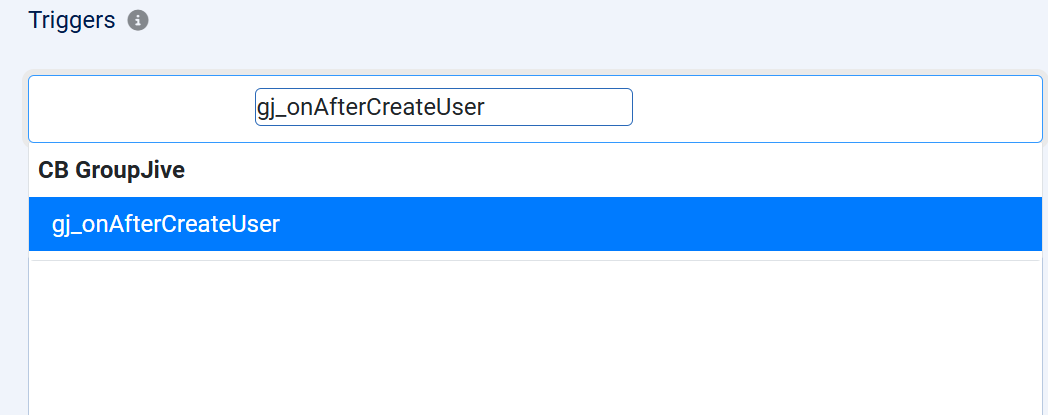
When creating a new Auto Action, I type a trigger name (e.g. `gj_onAfterCreateUser`) in the Triggers field. The dropdown appears and the correct trigger is highlighted in blue. However when I click on it or press Enter, the field resets to "None" and the trigger is not added as a tag.

I have tried:
- Clicking directly on the trigger text in the dropdown
- Pressing Tab after the option highlights
- Pressing Enter
- Typing the full trigger name before selecting
- Reinstalling CB Auto Actions (which also installed the missing System plugin that was not present before)

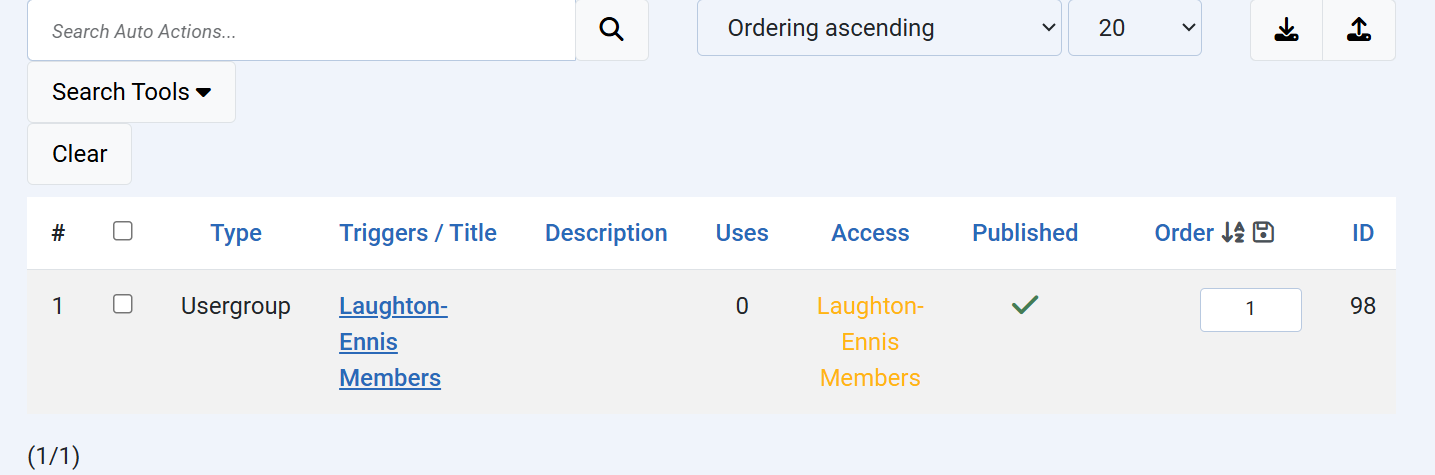
The System - CB Auto Actions Joomla plugin is installed and enabled. After saving the action the Triggers field remains empty.

The selected trigger should appear as a tag in the Triggers field and the auto action should fire when that trigger is called.  Is that correct?

Question:
Is there a known issue with the Triggers tag-input field in CB 12 on Joomla 5? Is there a workaround or alternative way to assign a trigger to an Auto Action?

Thank you

Attachments:

Please Log in or Create an account to join the conversation.

  • krileon
  • krileon
  • ONLINE
  • Posts: 50415
  • Thanks: 8624
  • Karma: 1472
3 weeks 6 days ago #343695 by krileon
Looks like maybe a styling problem. A bunch of your elements in your screenshots seam to be broken. Did you turn off CBs Bootstrap CSS? Within CB > Configuration > Integrations on Joomla 4, 5, and 6 I recommend setting "Bootstrap (Backend)" to "Bootstrap 5 Compatibility" and "FontAwesome (Backend)" to "FontAwesome 6 Compatibility". Once done please retry.

There's no known issues with the triggers input. If that doesn't fix your issue then it's probably a JavaScript conflict from something. Press F12 to open your browsers developer tools, click the Console tab, then refresh the page. Now try to add a trigger and check if the Console tab has any errors.


Kyle (Krileon)
Community Builder Team Member
Before posting on forums: Read FAQ thoroughly + Read our Documentation + Search the forums
CB links: Documentation - Localization - CB Quickstart - CB Paid Subscriptions - Add-Ons - Forge
--
If you are a Professional, Developer, or CB Paid Subscriptions subscriber and have a support issue please always post in your respective support forums for best results!
--
If I've missed your support post with a delay of 3 days or greater and are a Professional, Developer, or CBSubs subscriber please send me a private message with your thread and will reply when possible!
--
Please note I am available Monday - Friday from 8:00 AM CST to 4:00 PM CST. I am away on weekends (Saturday and Sunday) and if I've missed your post on or before a weekend after business hours please wait for the next following business day (Monday) and will get to your issue as soon as possible, thank you.
--
My role here is to provide guidance and assistance. I cannot provide custom code for each custom requirement. Please do not inquire me about custom development.

Please Log in or Create an account to join the conversation.

  • Oishiku
  • Oishiku
  • OFFLINE
  • Posts: 19
  • Thanks: 5
  • Karma: 2
3 weeks 5 days ago #343703 by Oishiku
That fixed it! Thank you so much.

Setting both "Bootstrap (Backend)" to "Bootstrap 5 Compatibility" and "FontAwesome (Backend)" to "FontAwesome 6 Compatibility" in CB Configuration → Integrations resolved the issue completely. The trigger input is now working correctly and I was able to select gj_onAfterCreateUser without any problems.

For anyone who encounters the same issue — if your triggers dropdown appears but the selected value reverts to "None" after clicking, check your CB backend Bootstrap and FontAwesome compatibility settings. In our case we had previously disabled CB's backend Bootstrap and FontAwesome loading as part of frontend performance optimizations, which inadvertently broke the Select2 tag-input widget used for the triggers field.

Thank you for the quick and accurate diagnosis!
The following user(s) said Thank You: krileon

Please Log in or Create an account to join the conversation.

Moderators: beatnantkrileon
Powered by Kunena Forum